Why follow up
A follow-up is a second, shorter message to a company that has not answered. Many companies do not answer the first message, and that does not always mean no. The person who read it may be busy, away, or unsure who should answer.
A polite follow-up gives them another chance. It should be short and add something. It should not repeat the first message more loudly.
When to follow up
- Wait a few working days. Give the company time to read your first message, pass it on and answer.
- Do not follow up too often. A small number of follow-ups, spaced out, is enough. Then stop.
- Pick working hours. Write or call when people are at work in the company's country.
- Never follow up after a no. If a company says it is not interested, or asks you to stop, that is the end.
Which way to follow up
Each campaign collects the emails and phone numbers each site lists. These can include email addresses, landlines, mobiles and WhatsApp numbers, and the names of people where the site lists them. Each one comes with the page it was found on. That gives you a choice:
- Email. Good for a short written note. Write to the address the company lists, and mention your earlier message.
- Phone. Good when you want a quick answer. Call the number on the site, say who you are, and ask who looks after your topic.
- A named person. If the site lists someone whose job matches your topic, such as the head of purchasing, write to them.
Be polite and brief, and where a company gives an address or number for questions, use that one. You can download the contacts as a spreadsheet (Excel or CSV), or keep working from the app.
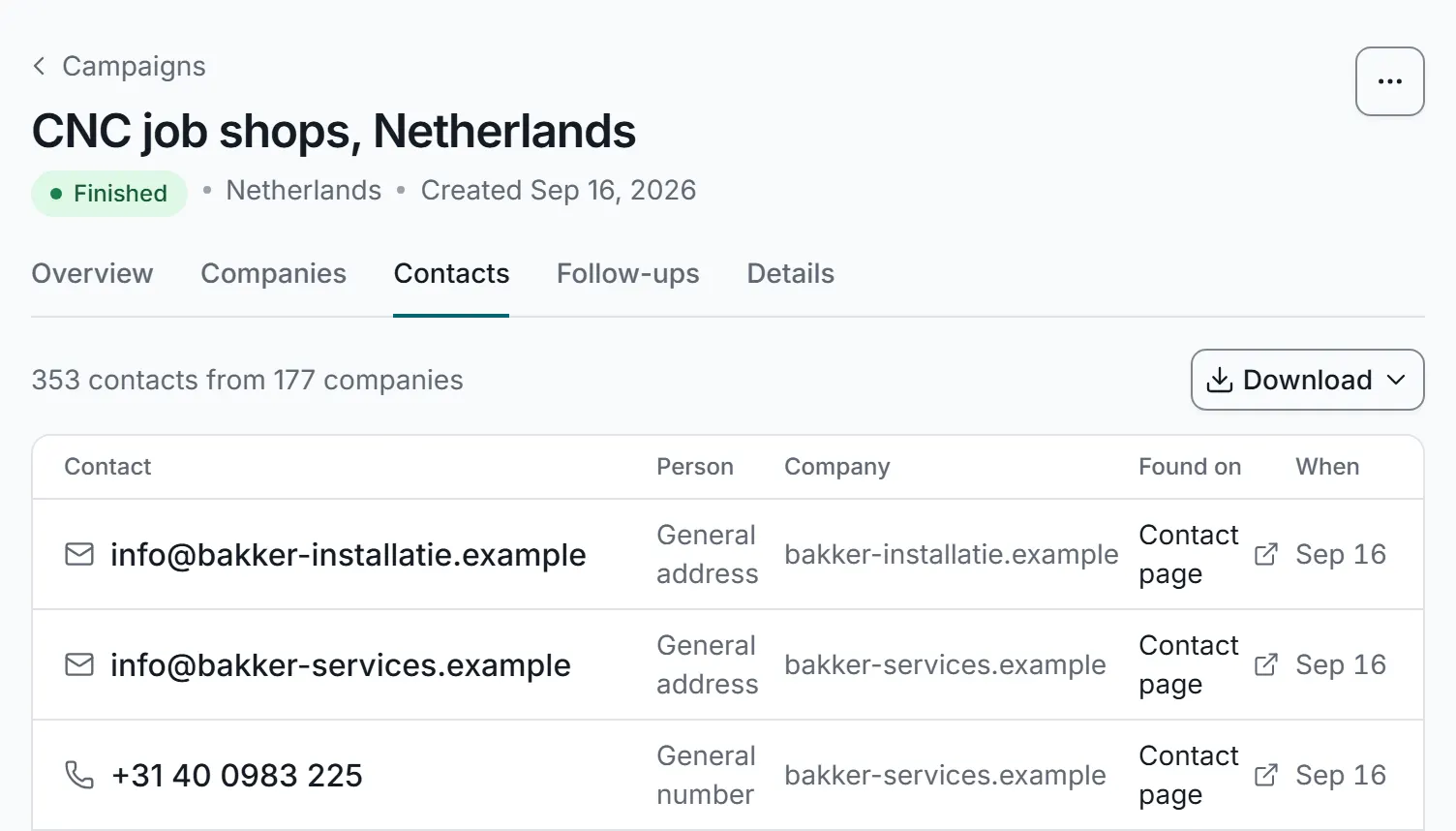
The contacts a campaign collected, each with the page it was found on. A real screen from the app, with sample data.
What to say
A follow-up is shorter than the first message. Try one of these:
- A short reminder. “I wrote to you through your website last week about [topic]. Is this something you would like to talk about?”
- Something new. A useful detail you left out the first time, like a price list or an example of your work.
- An easier ask. “Could you tell me who looks after this?” is easier to answer than a request for a meeting.
- A polite way out. “If this is not for you, just say so, and I will not write again.”
Always say who you are again. The person reading your follow-up may never have seen the first message. Here is a short follow-up by email, written by us as an example:
Subject: Following up on my message about [topic]
Hello,
I am [your name] from [your company]. Last week I wrote to you through your website about [topic]. In short, we [what you do] for [type of company].
Could you tell me who looks after this? And if it is not for you, just say so, and I will not write again.
Thank you,
[your name]
[email] · [phone]
For more on tone and length, see how to write a contact form message.
Keep track with follow-up tasks
Follow-ups only work if they happen. In the app you can plan the next touch for each company that does not answer, see what is due today, and tick it off when it is done.
Replies come back to one inbox, matched to their campaign and company, so you can see who has answered before you follow up. Automatic replies (like “out of office”), bounces (messages that could not be delivered) and opt-outs (requests to stop) are sorted for you.
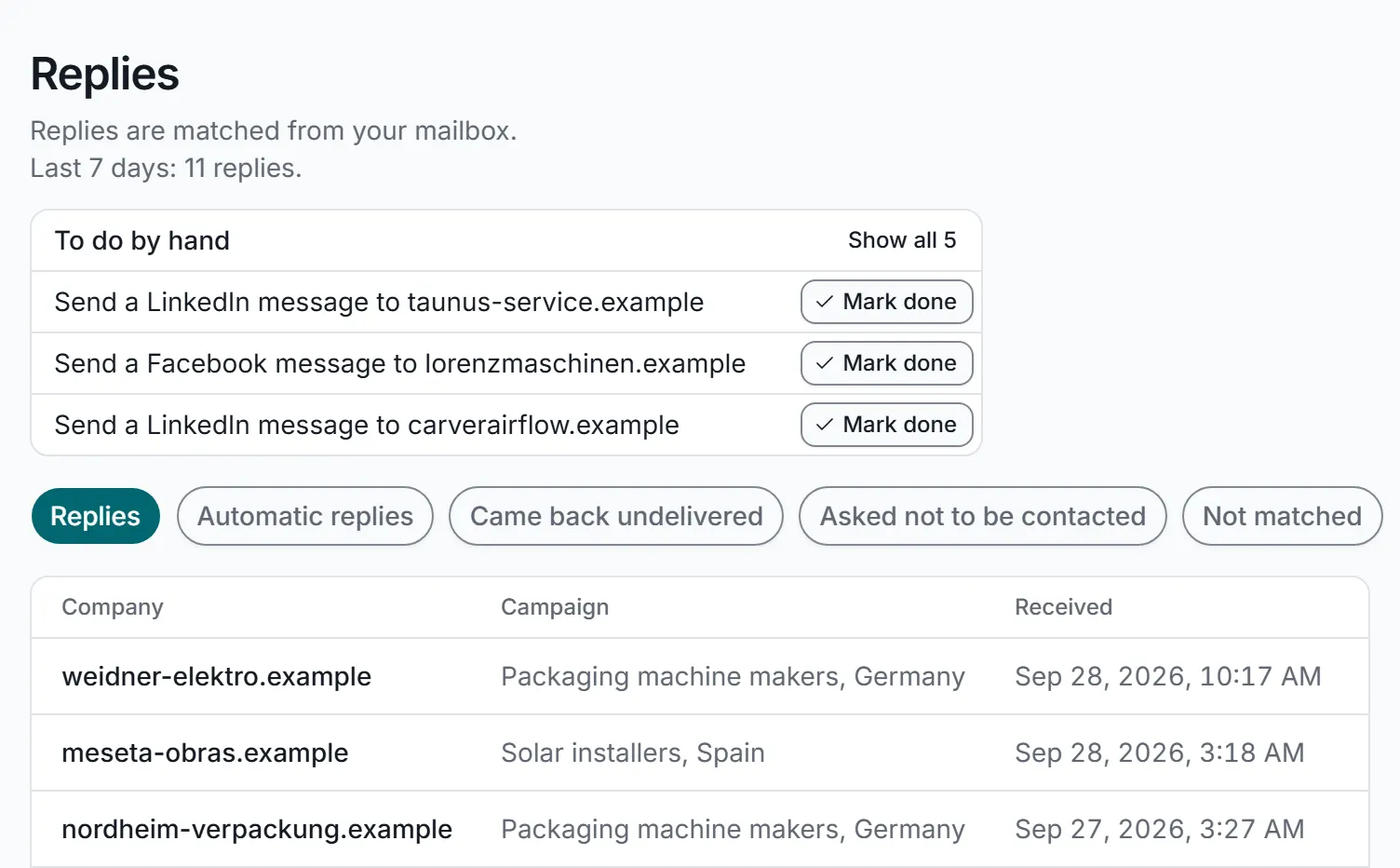
Follow-up tasks to tick off, with replies sorted for you. A real screen from the app, with sample data.
Every company has one status across your campaigns, and you can keep notes your colleagues can read. If your team shares the work, rules can hand each reply to the right person by country, language or keyword.
Respect a no
When a company says no, or asks you not to contact it again, stop. That is good manners, and stopping when asked is one of the habits in our guide Is contact form outreach legal? Rules differ by country, so check the ones that apply to you.
The app helps you keep to it:
- When a company replies asking you to stop, its reply is sorted as an opt-out and the company goes on your do-not-contact list.
- You can add companies by hand too, such as one that said no on the phone.
- Companies on the list are skipped in every campaign after that, whoever on your team starts it, including campaigns started through the API.
The list covers your whole account, so a promise to stop made by one person is kept by everyone.